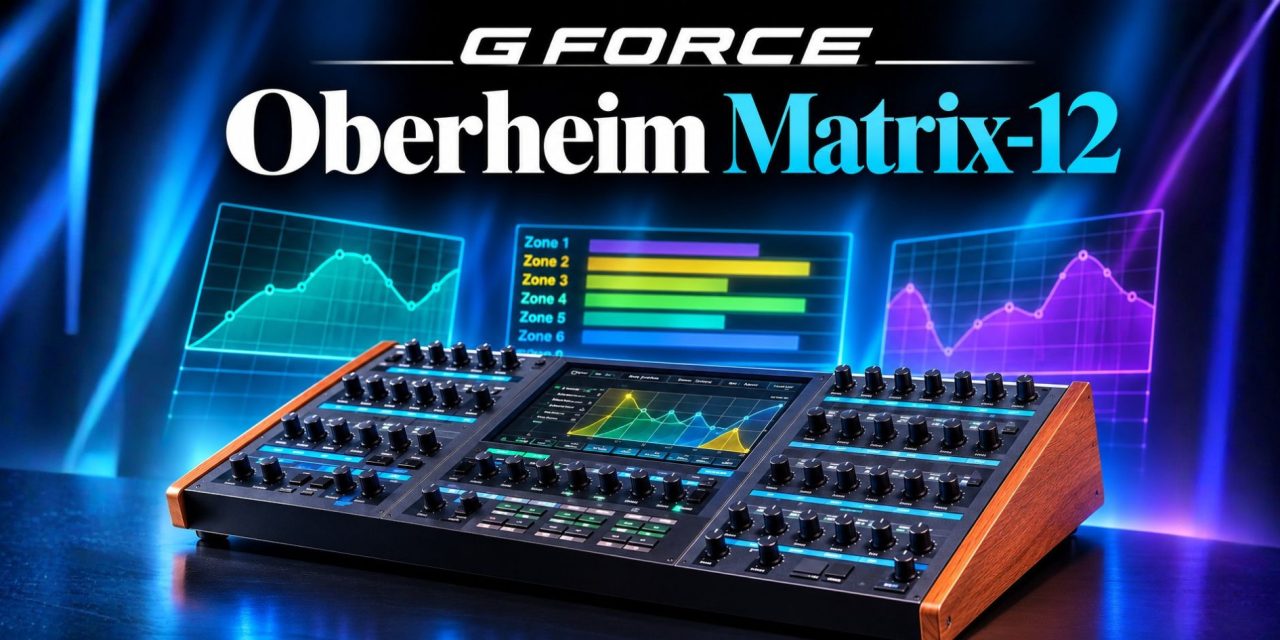
GForce Software released its Oberheim Matrix-12 software instrument for macOS and Windows on November 5, 2026. Developed with Oberheim and original Matrix-12 designer Marcus Ryle, the licensed recreation brings the synthesizer’s extensive architecture into a visual programming environment.
The release combines the original instrument’s synthesis design with modern editing and performance features. For producers, the appeal goes beyond recreating a classic sound. Its visual modulation tools, six-zone Multi mode and expressive controls offer new programming possibilities. The challenge is understanding how to use that depth without making patches unnecessarily complicated.
Three Ways to Understand Modulation
Originally released in 1985, the Matrix-12 features twelve voices, two modeled oscillators per voice and a fifteen-mode filter. GForce retains this architecture while introducing a redesigned interface for programming and sound exploration.
According to the official product page, three visual tools help users understand the instrument’s signal and modulation paths.
- Flow Diagrams: Display connections between sound sources and modulation destinations, making signal relationships easier to follow.
- Mod Matrix: Organizes modulation assignments in a grid, helping users manage relationships between different parameters.
- Module Visualizers: Display elements such as envelope shapes and filter curves, providing a clearer view of how individual modules behave.
Drag-and-drop assignment offers another way to create modulation connections.
The underlying process is straightforward: choose a source, select a destination, then adjust the modulation depth. The source generates the control movement, while the destination receives it. Depth determines how strongly that movement affects the destination parameter.
For example, a slow modulation source could gradually change a pad’s filter cutoff. Increasing the depth would make the filter movement more pronounced. Starting with one relationship makes it easier to understand the result before introducing additional modulation.
Keep a simpler version of the patch for comparison. This helps establish whether extra movement genuinely improves the sound or simply makes programming more complicated.
Six Zones Must Share Twelve Voices
ProSoundWeb’s launch coverage explains the instrument’s Single and Multi operating modes.
Single mode treats all twelve voices as one instrument. Multi mode allows users to distribute separate timbres across six overlapping keyboard zones. Each zone has its own voice allocation, MIDI channel settings and micro arpeggiator.
However, six zones do not provide six independent twelve-voice synthesizers. All six zones work within the instrument’s finite twelve-voice architecture. That makes voice allocation an important consideration when building layered performances.
For example, a sustained chord layer and a busy rhythmic part can compete for available voices. Overlapping keyboard zones can introduce further demands, particularly when notes continue sounding under sustain.
Start with two contrasting layers and test the actual notes and voicings you intend to play. Check how sustained notes behave and whether overlapping zones create unexpected voice shortages. Add more zones only when each contributes something useful to the arrangement.
MPE and Conventional MIDI Offer Different Expression
The Matrix-12 supports MPE, alongside velocity, release velocity, pressure and four global macros. AudioNewsroom’s overview also highlights its per-voice editing tools and onboard effects.
MPE allows individual notes to carry separate expressive information. This makes it useful when different notes need independent pitch, pressure or other controller movement. A chord performance, for example, could have different expressive changes across its individual notes.
Conventional MIDI remains useful when a performance does not require that level of individual note control. Velocity and other standard MIDI information can still shape how the instrument responds.
The four global macros provide another approach. They allow producers to group parameter changes under accessible controls, making broader sound adjustments easier to perform.
Before assigning several destinations to one gesture, decide what that gesture should communicate. A useful expressive control should produce an audible result that serves the performance. More assignments do not automatically create a more musical patch.
Evaluate the Instrument Inside a Working Session
GForce offers a fourteen-day trial, giving producers an opportunity to assess the instrument before purchasing. A controlled evaluation is more useful than judging it through an elaborate preset demonstration.
Begin with a copy of an existing project and a repeatable MIDI passage. This provides a consistent starting point for testing patches and comparing results.
Check the selected plugin format, controller configuration and patch recall. Also assess performance at the buffer size normally used for recording. These details matter when introducing a new instrument into an established workflow.
Next, compare the results at matched playback levels. Listen to the instrument alongside the project’s vocals, bass and drums. A wide, heavily processed sound might impress in isolation but struggle within a finished arrangement.
The goal is to establish whether the instrument improves the actual production process. Its modulation architecture, voice allocation and expressive controls should solve identifiable musical problems.
What Producers Should Take From the Release
The GForce Oberheim Matrix-12 brings a substantial synthesis architecture into a modern software environment. Its visual modulation tools provide a clearer way to explore complex relationships. Multi mode also offers interesting performance possibilities, although its six zones must share twelve available voices.
For producers considering the fourteen-day trial, a focused evaluation makes more sense than chasing every feature immediately. Build one useful patch, understand its modulation assignments and test its behavior within a real arrangement.
The most important question is not how many parameters the instrument offers. It is whether those parameters help create the sound or performance the music needs.
Which part of your production workflow would benefit most from deeper modulation, expressive control or layered keyboard zones? Follow DLK Music Pro News for more software releases and practical production insights!