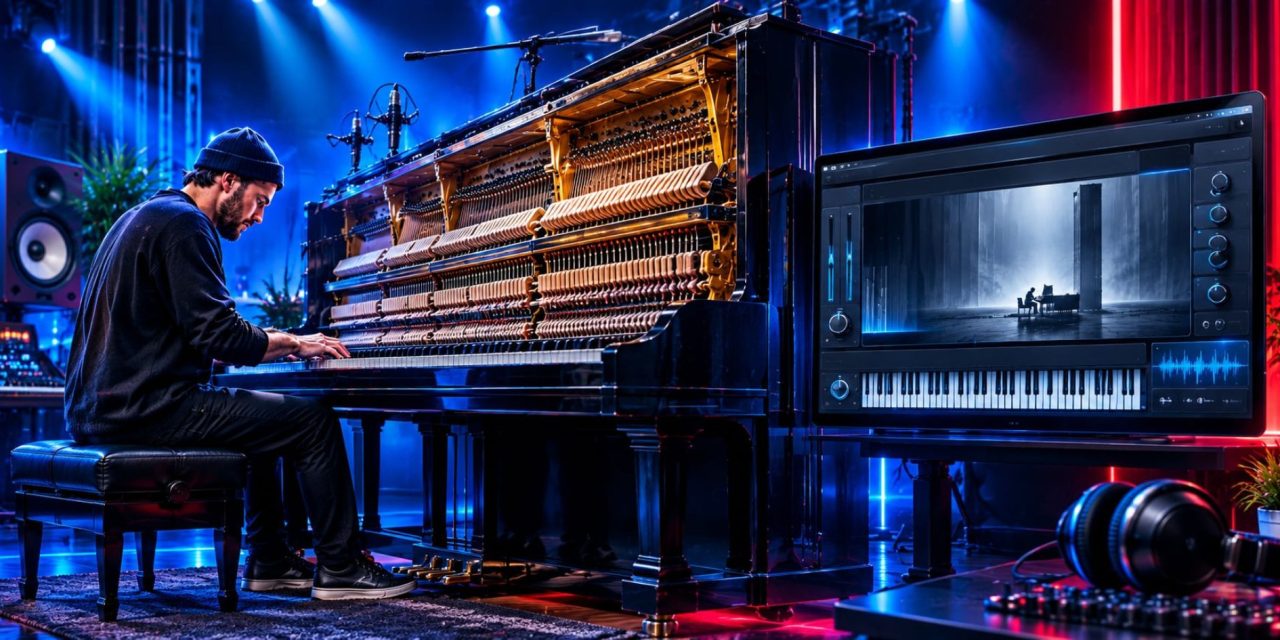
Native Instruments released Vertikal on November 5, 2026, bringing Nils Frahm’s unusual 4.5-meter vertical concert grand into Kontakt. Developed with Galaxy Instruments, the library captures the piano in Frahm’s Saal 3 studio at Berlin’s historic Funkhaus. It combines two sampled instrument flavors, Pure and Felt, with the generative Particles 2.0 engine.
As Australian Musician reported in its launch coverage, Vertikal offers more than another sampled piano. Its design gives producers two ways to approach the source instrument, then adds a system for generating notes around their performances. Understanding those layers helps explain how the library can fit into a composition without allowing its extra activity to take over the arrangement.
Two Piano Starting Points: Pure and Felt
The official Vertikal manual describes Pure and Felt as two distinct instrument flavors. Both come from the same vertical piano, but they emphasize different aspects of its sound.
Pure offers a warm, clear and expressive character with a defined attack, deep bass and natural resonance. Felt has a softer, slightly muted and more intimate tone. Its gentler felt attack gives it a darker, more atmospheric character.
The recording also captures the acoustic environment of Saal 3. The piano’s strings extend up to 3.9 meters, contributing to its unusually deep resonance and extended bass response. This means the instrument’s identity comes from both the piano itself and the room in which it was recorded.
That distinction suggests a useful arrangement exercise. Play the same short phrase through each version at a consistent monitoring level. Then compare them beneath the vocal or lead instrument. Listen for whether the attack defines the rhythm, whether sustained notes obscure another part, and whether the piano needs to sit forward or recede.
The preferable choice may change between a sparse introduction and a full chorus. These are suggested listening checks, not conclusions from a hands-on review.
Particles 2.0 Adds a Generative Layer
Vertikal’s Particles 2.0 engine generates additional notes around the player’s performance. As notes are played and held, the engine creates evolving layers that can vary in pitch, timing, dynamics and stereo position.
The Particles section of the official manual explains the controls for shaping this behavior. Its main options include Aleatoric and Rhythmic modes, alongside Play mode for directly performing the available Particles sound sources.
Each mode offers a different approach:
- Aleatoric mode: Generates notes with varying intervals and timing within the selected ranges. This introduces movement without requiring a fixed rhythmic pattern.
- Rhythmic mode: Uses programmable patterns to create more repeatable, tempo-synchronized movement. Producers can work with patterns and individual step velocities.
- Play mode: Makes the Particles sound sources directly playable from the keyboard, offering a more hands-on approach to those sounds.
The engine also includes controls that determine how much of the original piano and generated layer you hear together. The Piano/Particles Blend fader adjusts their balance. A keyboard-range control determines which played keys trigger additional particles.
These controls make Particles an arrangement decision as much as a sound-design feature. For example, restricting the trigger range could help separate an accompaniment from a melody played elsewhere on the keyboard.
For a practical starting point, keep the piano phrase simple and introduce the generated layer gradually. With a rhythmic pattern, compare its accents against the existing groove before adding more notes. With chance-based timing, check whether the movement leaves enough room for important vocal phrases. These are proposed working methods, not tested presets or guaranteed results.
Keep the Performance in Charge
An evolving texture can make a held chord feel active, but activity does not automatically strengthen a song. The generated layer still needs a clear musical role.
A useful comparison is to mute Particles at several points in the arrangement. If a section loses its identity, consider whether the layer is carrying an important part or simply filling space. If the original piano already communicates the emotion and movement required, additional notes may not be necessary.
It also helps to retain the original MIDI performance while exploring alternatives. Documenting the settings makes it easier to revisit a variation or share the arrangement decisions with collaborators. That way, the generative layer remains something the producer can shape rather than an unpredictable addition to the session.
Check the Kontakt and System Requirements
Vertikal is a Kontakt instrument that works with Kontakt 8.13.1 or later, including the free Kontakt Player. Producers should check the official product page for current operating-system and hardware requirements before installation.
The library requires a substantial download, listed at 29 GB. It is also worth checking available storage and confirming that the existing Kontakt installation is compatible before adding it to a working system.
Vertikal offers a particular acoustic source and several ways to extend it. Pure and Felt provide different starting points, while Particles 2.0 can turn a straightforward performance into a more active texture. The productive question is how those choices serve the arrangement: a defined piano part, a quieter supporting texture, or a moving layer that earns its place beside the other musicians.
Which approach would you explore first: the natural resonance of the piano or the evolving textures of Particles? Follow more developments in virtual instruments, music-production software and creative studio workflows through DLK Music Pro News.