Upgrading a studio computer doesn’t have to mean filling every storage slot with expensive NVMe drives. For many creators, the smarter approach is to give fast storage the jobs that actually need speed and let affordable bulk storage handle everything else.
A hybrid storage setup can keep active projects, plugins, and frequently used libraries on a fast NVMe drive while moving completed sessions and archives to larger HDD storage. Combine that with a motherboard platform designed for future CPU upgrades, and you can stretch the useful life of your studio computer without rebuilding it every few years.
Put Speed Where You Actually Need It
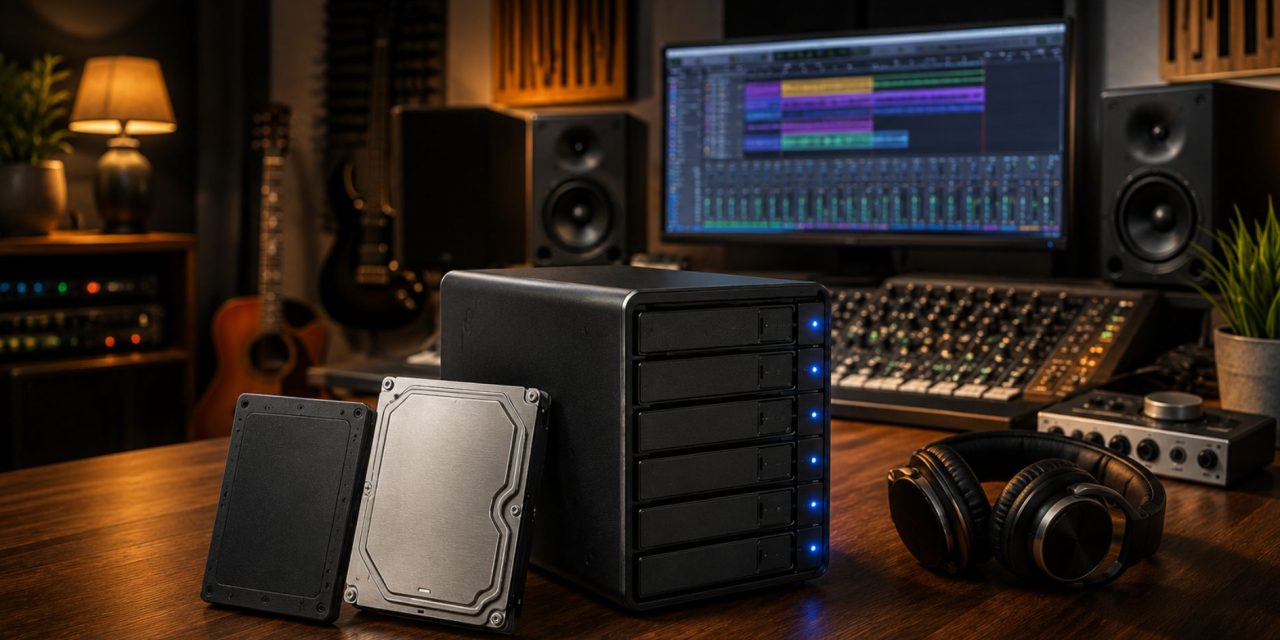
A 1TB Gen5 NVMe drive can provide the fast access needed for active projects, DAW software, plugins, sample libraries, and other files you use constantly. Larger HDD storage can then handle completed sessions, older projects, backups, and archives.
This division creates a practical capacity versus speed balance. You don’t pay premium NVMe prices for terabytes of files that rarely need instant access.
For a music production studio, the NVMe drive can hold your current DAW projects and frequently used sample libraries. Once a project is finished, move it to the larger storage array and free up fast space for your next session.
The same principle works for video editing and other creative workflows. Keep current projects on fast storage and use high-capacity drives for material that doesn’t need constant high-speed access.
Build Affordable Bulk Storage
Large HDDs remain useful when capacity matters more than raw speed.
A multi-drive array can provide substantial storage for project archives, sample libraries, media collections, and backups at a much lower cost per terabyte than an all-NVMe system.
For example, a hybrid configuration might look like this:
| Setup | Cost per TB | Best Use |
| All-NVMe | Higher | Active editing and demanding projects |
| Hybrid NVMe + HDD | Moderate | Active projects and archives |
| All-HDD | Lower | Archives and cold storage |
The exact prices will vary by drive capacity, generation, and market, but the principle remains useful: don’t buy speed for storage that doesn’t need it.
A NAS such as the Synology DS1821+ can also provide centralized storage for a home studio or small production environment. RAID can help protect against individual drive failures, although it should never be treated as a replacement for a separate backup.
Think Beyond Storage When Choosing a Motherboard
Storage is only one part of a cost-effective studio upgrade. Your motherboard and chipset can determine how easily you can upgrade the rest of the computer later.
Platforms with longer CPU support can save money because you may be able to replace the processor without replacing the entire motherboard, memory configuration, and other components.
This matters for creators planning several studio equipment upgrades over the next few years. A motherboard with sufficient PCIe lanes, modern USB connectivity, expansion capacity, and a useful CPU upgrade path gives you more flexibility as your workload grows.
For a production computer, look beyond today’s specifications. Ask whether the platform can accommodate the storage, interfaces, graphics cards, RAM, and processors you may realistically want later.
Prioritize Long-Term Platform Support
AMD’s AM5 platform is one example of a socket designed around multiple generations of processors. Intel’s newer platforms provide their own upgrade considerations, so the best choice depends on your software, preferred CPUs, connectivity requirements, and budget.
Rather than choosing a motherboard because it has the longest specification sheet, focus on the features that actually matter to your workflow.
For a music production setup, that might mean:
- Enough M.2 slots for future SSD storage upgrades
- Sufficient USB connectivity for audio interfaces and controllers
- Adequate PCIe lanes for GPUs and expansion cards
- Support for the amount of RAM your projects require
- BIOS flashback for easier future processor upgrades
- Reliable power delivery for higher-end CPUs
These features can make a bigger difference to the lifespan of a studio computer than chasing every premium specification.
Choose Upgradeable Platforms
A genuinely cost-effective studio setup should allow you to improve individual components instead of replacing the entire system whenever your workload increases.
An upgradeable platform gives you options. You might begin with a mid-range processor and later move to a more powerful CPU. You could add another NVMe drive when your sample library grows or increase RAM when your projects become more demanding.
BIOS flashback is another useful feature to consider. It can allow a motherboard to receive a firmware update without an installed CPU, making future processor upgrades easier on compatible boards.
For a home studio preparation plan, these small conveniences can save both money and frustration later.
Plan Your Upgrade Path Before You Buy
The cheapest component isn’t always the most economical choice over several years.
A low-cost motherboard with limited expansion may force you into a complete rebuild sooner. An oversized all-NVMe storage system may consume money that could have gone toward better monitors, an audio interface, microphones, or other equipment that actually improves your production.
A better strategy is to divide your budget according to how you work:
Fast storage: active projects, DAWs, plugins, and frequently used libraries.
Large storage: completed projects, archives, and media collections.
Backup storage: independent copies of important work.
Upgradeable platform: motherboard, CPU socket, RAM, and expansion capacity that can support future needs.
That approach gives you a scalable upgrade path without paying for performance you won’t regularly use.
Conclusion
A smart studio computer upgrade isn’t about buying the most expensive components available. It’s about matching performance to the job.
Hybrid storage puts speed where it matters, while high-capacity HDDs handle the files that don’t need it. An upgradeable motherboard platform then gives your system room to grow as your production needs change.
Plan the storage, platform, and future upgrades together, and you can build a studio computer that stays useful for years instead of becoming obsolete after one major upgrade cycle.
Planning your next studio upgrade and wondering where your money will make the biggest difference? Explore more practical guides on studio technology, production gear, and smarter upgrade decisions on DLK Music Pro News.