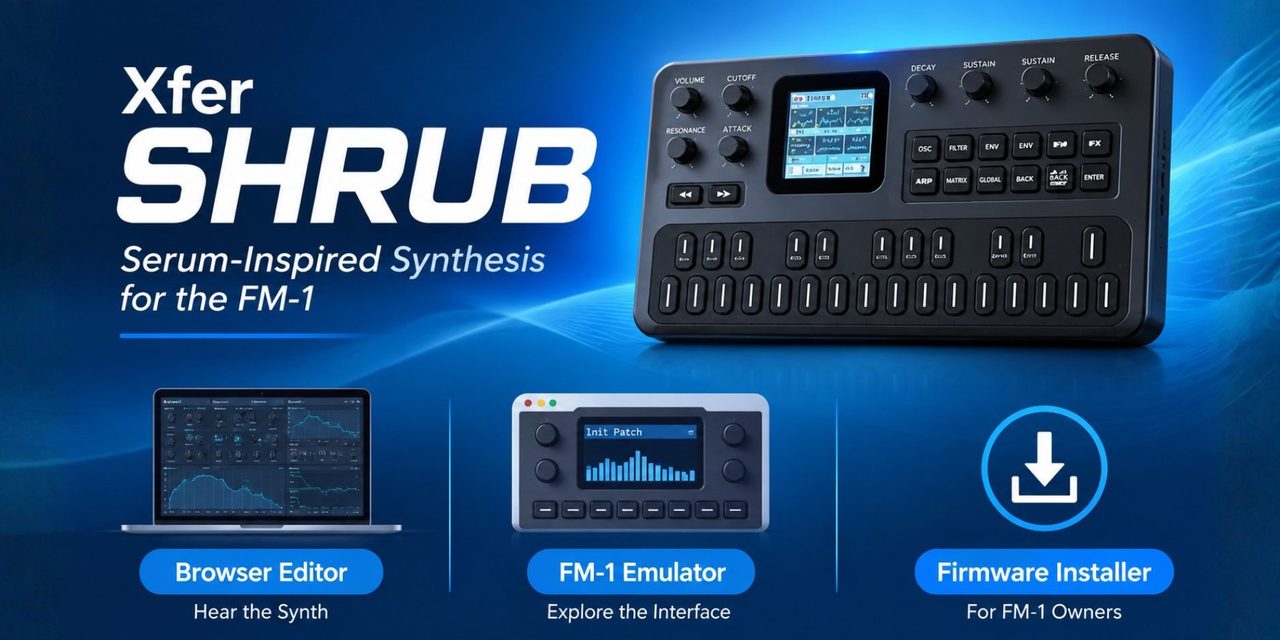
Xfer Records’ SHRUB beta gives producers three ways to explore a stripped-down version of Serum. You can play it through a browser editor, explore an emulated M-VAVE FM-1, or install its firmware on the physical device.
These options answer different questions, and you don’t need an FM-1 to try the browser tools. However, installing firmware is a separate decision. Understanding what each route offers helps you evaluate SHRUB before changing your hardware setup.
Start With the Browser Editor to Hear the Synth
Open the SHRUB browser editor if your first question concerns the instrument itself. Xfer says the editor plays SHRUB directly in your browser without an FM-1.
Its interface brings the main synthesis controls together on one screen. You can explore oscillators, filters, envelopes, LFOs, modulation, effects and presets. The editor also provides a library for managing sounds.
For a quick evaluation, choose one preset and play the same short phrase in two registers. Then change one envelope or filter setting at a time. This makes it easier to hear how each adjustment affects the sound.
You can also connect a physical FM-1 and edit its parameters through the browser. That makes the editor useful for both initial exploration and hardware control.
Use the Emulator to Explore the FM-1 Interface
The device emulator answers a different question: how does SHRUB work through the FM-1’s interface?
It recreates the hardware experience in your browser, allowing you to explore the device without owning one. You can investigate the controls, navigate the interface and try the firmware’s workflow.
Choose a patch and attempt an edit you might want during a session. Notice how easily you can reach the controls you need. If the browser editor feels comfortable but the hardware layout seems limiting, that’s useful information.
The distinction matters because the editor displays many parameters together. The emulator instead helps you understand how those controls fit into the physical device’s workflow.
Treat Firmware Installation as a Separate Decision
The firmware installer is specifically for owners of the M-VAVE FM-1. It installs SHRUB onto the physical device through a browser and USB connection.
Xfer’s Operation Guide explains the installation process. It requires Chrome or Edge because the installer uses Web MIDI. The guide also explains how to return to M-VAVE’s original firmware.
Xfer states that SHRUB’s installer does not touch the FM-1’s boot code. Owners can restore the original firmware using M-VAVE’s updater. However, Xfer also makes clear that installation is at the user’s risk.
Before proceeding, read the guide and understand the installation and recovery steps. If you only want to evaluate SHRUB’s sound, the browser editor already gives you that opportunity.
Check the Official Page Before Planning a DAW Session
Another distinction worth checking before building a project around SHRUB is desktop plugin availability.
Some music technology coverage has reported a VST3 version for macOS, Windows and Linux. However, Xfer’s current official homepage and Operation Guide do not list a VST3 download.
The official page currently directs visitors to the browser editor, FM-1 installation and browser emulator. Therefore, a downloadable VST3 should not be treated as an officially verified option from that page.
Check Xfer’s official SHRUB page for any updated availability information before planning a DAW session around the plugin.
Choose the Right SHRUB Route for Your Next Test
You can explore SHRUB without owning an FM-1 or immediately changing your existing hardware. Each route offers a different level of commitment.
The browser editor lets you hear the synth and experiment with its sound. The emulator helps you understand the FM-1 interface. The firmware installer is the route for owners ready to put SHRUB onto the physical device.
That separation makes the beta easier to evaluate. Start with the sound, explore the interface, and only consider firmware installation when you understand what the hardware change involves.
Would you rather explore a new synth through software first or put it straight onto hardware? Follow the latest developments in synths, plugins and studio technology through DLK Music Pro News.