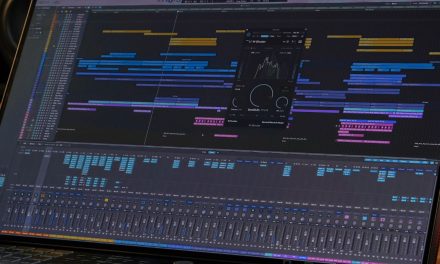
A hardware controller is only as useful as the plug-ins it can actually control. That becomes a problem when a producer’s mixing workflow depends on processors from several developers, not just one software ecosystem.
Softube’s latest Flow Studio update addresses that limitation by adding support for selected third-party VST3 plug-ins. Producers can now bring compatible processors into Flow Mixing Suite, control them from Flow Studio hardware and combine them with Softube plug-ins in custom signal chains.
However, compatibility comes with conditions. The official supported list is not the same as the optional broader scan; third-party licenses are not included, and reliable session recall still deserves attention. Here’s what to check before rebuilding existing mixing chains around the update.
Which Third-Party Plug-ins Does Flow Studio Support?
The October 28, 2026 update introduces support for a curated selection of third-party VST3 plug-ins. Softube says it has worked with the developers to establish the initial supported selection, with more titles expected later.
The official compatibility list includes plug-ins from FabFilter, Neural DSP, oeksound, Plugin Alliance, Safari Audio, Soundtoys, Universal Audio, Valhalla DSP and XLN Audio.
Some of the supported titles include:
- FabFilter: Pro-Q 4 and Saturn 2
- Neural DSP: Mantra
- oeksound: soothe3 and bloom
- Plugin Alliance: Black Box Analog Design HG-2, Maag EQ4 and Shadow Hills Mastering Compressor
- Safari Audio: Gorilla Drive, Flamingo Verb and Mastering Console V2
- Soundtoys: Decapitator, EchoBoy and Little AlterBoy
- Universal Audio: UADx 1176, Teletronix LA-2A and Lexicon 224 titles
- Valhalla DSP: VintageVerb
- XLN Audio: RC-20 Retro Color and DB-30 Drum Butter
These are examples from the official list, not a guarantee that every product from those developers is supported. Check the exact plug-in title before building a workflow around it.
The distinction between formats also matters. This third-party feature supports VST3 versions only. Installing a compatible product in AU, AAX, or another format does not make that version eligible for the new third-party mapping.
This is separate from the formats supported by Flow Mixing Suite itself. Softube lists VST3, AU for Logic Pro and AAX for Pro Tools as supported host formats. Those formats should not be confused with third-party plug-in compatibility.
Are Third-Party Plug-in Licenses Included?
No. The update provides compatibility and hardware control, not additional plug-in licenses.
Flow Studio owners and Flow Mixing Suite subscribers receive third-party plug-in support as a free update. However, users must already own valid licenses for the third-party processors they want to use.
The scanner identifies compatible installations on the computer. It does not unlock paid plug-ins or replace their licensing requirements.
This makes an existing plug-in collection the sensible starting point. Check which supported VST3 versions you already own before planning a new chain around the feature.
It also helps to distinguish third-party additions from Softube’s own processors. For example, the Tube-Tech CL 1B compressor belongs to Softube’s own plug-in range. It is not one of the newly added third-party titles.
How Do You Enable Third-Party Plug-in Scanning?
The scanning process runs through the Flow Mixing Suite plug-in rather than directly through the Flow Studio hardware.
Softube’s instructions involve a few steps:
- Open Softube Central and update Flow Mixing Suite to the latest version.
- Launch Flow Mixing Suite inside your DAW.
- Open the plus menu and select Scan Third-Party Plug-ins.
- Choose the VST3 scanning option and allow the scanner to find compatible installations.
- Once scanning finishes, add a supported plug-in to a Flow using the plus button.
The scanner runs in the background, so you can close its window while it works. Once a compatible plug-in is available, you can load it individually or combine it with other processors in a custom Flow.
Softube also provides an optional beta setting for scanning all installed third-party VST3 plug-ins. This is a broader experiment, not an expansion of the officially tested compatibility list.
The distinction is important. Softube warns that some plug-ins found through this wider scan may not work properly in Flow Mixing Suite. Scanning can also take longer when many plug-ins are installed, and compatibility varies by product.
A plug-in appearing in the scan results should therefore not be treated as proof that every control works correctly.
Why Should You Test Plug-in Recall Before Using It in a Session?
Finding a plug-in and controlling its parameters are only part of the workflow. Producers also need confidence that their settings will remain intact when a project is saved and reopened.
This is where recall testing becomes important. Recall refers to the ability to restore a plug-in’s saved parameter values when reopening a DAW project or loading a saved setup.
With the officially supported selection, Softube has worked with developers to establish the intended integration. The broader beta scan carries more uncertainty. Some parameters may not map as expected, and more complex controls may behave differently from basic ones.
Production Expert’s coverage of the update also highlights the need to approach broader scanning cautiously. Parameter mapping and recall should not be assumed to work consistently across every scanned plug-in.
A practical check is to start with a duplicate of an existing session:
- Add one third-party processor to a test chain.
- Adjust the parameters you intend to control from Flow Studio.
- Save the DAW project and close it.
- Reopen the project and check whether the processor and its settings have been restored correctly.
- Repeat the test with the controls and plug-in instances that matter to your workflow.
For example, a vocal chain might rely on a compressor’s threshold, attack, release and output settings. A drum-bus chain might depend on specific saturation or equalization adjustments. Confirm that the settings return as expected before trusting the setup in an important project.
This is a recommended workflow check, not a claim that DLK Music Pro News has independently tested every supported plug-in.
What About Plug-in Screenshots and Display Permissions?
Flow Mixing Suite can capture screenshots of third-party plug-in interfaces. These images help users identify the processor they are controlling from the Flow Studio hardware and software.
However, screenshot capture depends on the operating system, DAW and plug-in. The first time Flow Mixing Suite attempts to capture an image, the operating system may request screen-recording permission.
On macOS, users can check this under System Settings > Privacy & Security > Screen & System Audio Recording. The DAW must have permission enabled, and restarting it may be necessary.
An absent screenshot does not automatically mean the plug-in is unavailable or that its audio processing has failed. Check the scanning, loading and control functions separately from the display.
What Is Available Now, and What Is Still Coming?
The update also introduces Lock Track, a feature designed to improve how Flow Studio works alongside Console 1 hardware.
Lock Track allows Flow Studio to remain focused on a selected track while users work on other tracks with Console 1 Channel, Compact or Fader. This feature is available now as part of the update.
Expanded third-party VST3 mapping for Console 1 hardware is a different matter. Softube lists this as coming soon through the Flow Mixing Suite plug-in. It should not be confused with the third-party control currently available through Flow Studio.
The distinction matters for producers who use both hardware systems. They can explore the current Flow Studio integration and Lock Track feature now, but should not plan around expanded Console 1 third-party mappings until Softube releases them.
The Bottom Line
Softube’s VST3 update gives Flow Studio users a way to bring selected third-party processors into their existing mixing workflows. The officially supported list provides the most dependable starting point, while the broader beta scan offers room to experiment with other installed VST3 plug-ins.
Before rebuilding a chain, check the exact supported title and format, confirm that you own the required license, and test whether your settings recall correctly after reopening a session. Console 1’s expanded third-party mappings remain forthcoming, even though Flow Studio’s current third-party support and Lock Track are available now.
Are there third-party processors you would like to control through Flow Studio? Follow more developments in music production, recording technology and studio workflows through DLK Music Pro News.